


The shapes above started with a prompt to Opus 5 Fast. The Agent built the composition using perspective, rotations across three axes, depth, masks, and effects. After the first pass, we adjusted the loop, effects, and springs on the canvas. The Agent handled a dense sequence of connected edits that would be near impossible by hand. We kept control over timing, weight, and feel.
To try this yourself start by drawing a simple square Frame on the canvas and ask the Agent to turn it into 3D rotating cube using 3D Transforms. Then keep prompting for more complex geometry and animations.
This release shows where creative tools are heading. Designers can describe an outcome and watch an Agent build it. They can then continue from any layer it created and finetune without having to prompt back and forth.
3D joins the Agent’s toolkit
Framer’s Agent now supports 3D Transform properties, including Rotate X/Y/Z, Perspective, Depth, Origin, and Backface.
You can ask it to turn a flat mark into a spatial animation, arrange cards at different depths, or add perspective to an interaction. Continue refining through conversation, or select a layer and work with the familiar controls on the canvas.
We first shipped 3D Transforms in 2024. That release introduced more than ten properties and redesigned selection controls. Layers remained selectable and editable as they moved through three-dimensional space on a freeform canvas.
The new Agent release gives the model access to that same system. It creates the effect from Framer Frames and Effects, with the original layers and controls intact.
Editable 3D is a hard canvas problem
A browser can rotate an element with a line of CSS. A design tool must also let you select, resize, nest, and draw around the projected result.
As a layer moves through perspective, its visible shape stops matching a flat rectangle. Nested rotations compound. Origin and depth affect how each gesture behaves. Selection outlines, handles, cursors, and effect controls need to follow the geometry as it changes.
Framer’s canvas team solved that projection math for the original 3D release. Something no other canvas-based tools we know have solved yet. A later Canvas update added rotation and resize cursors that follow the layer’s angle. It also improved nesting, drawing, and effect selection for 3D layers.
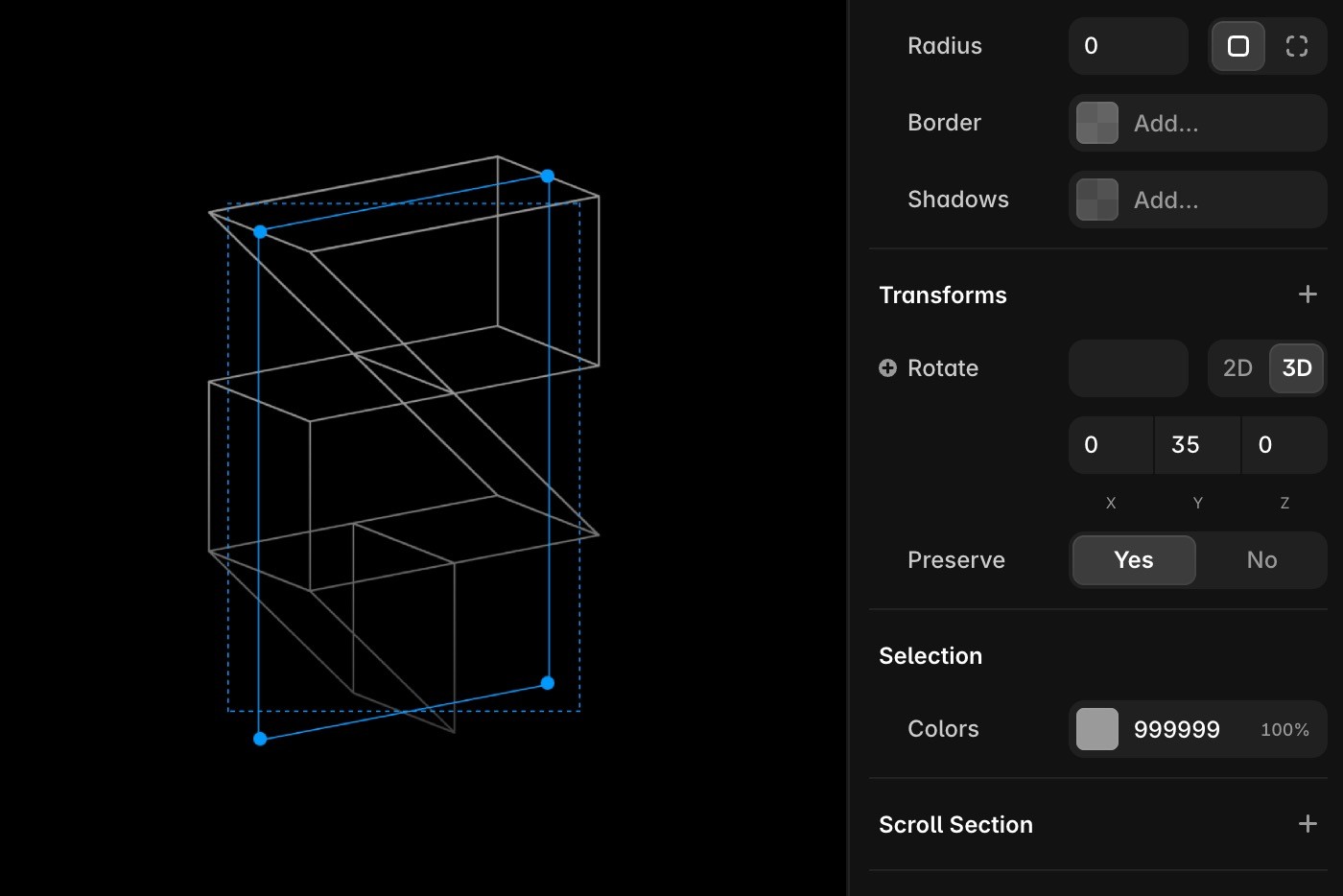
That Canvas update laid the foundation for this Agent improvement. The model writes Framer properties into the same spatial editing system designers use. Its output remains part of the project, with each layer available for further work.
Teaching the Agent each property
A property control gives designers direct access. The Agent also needs a supported representation, instructions about how the property behaves, and feedback about the rendered result.
3D properties make that job harder because they affect one another. Rotate a thin mark around one axis and it can collapse into a hairline. In the logo animation, the Agent combined rotations across multiple axes so the mark retained its visual weight throughout the loop.
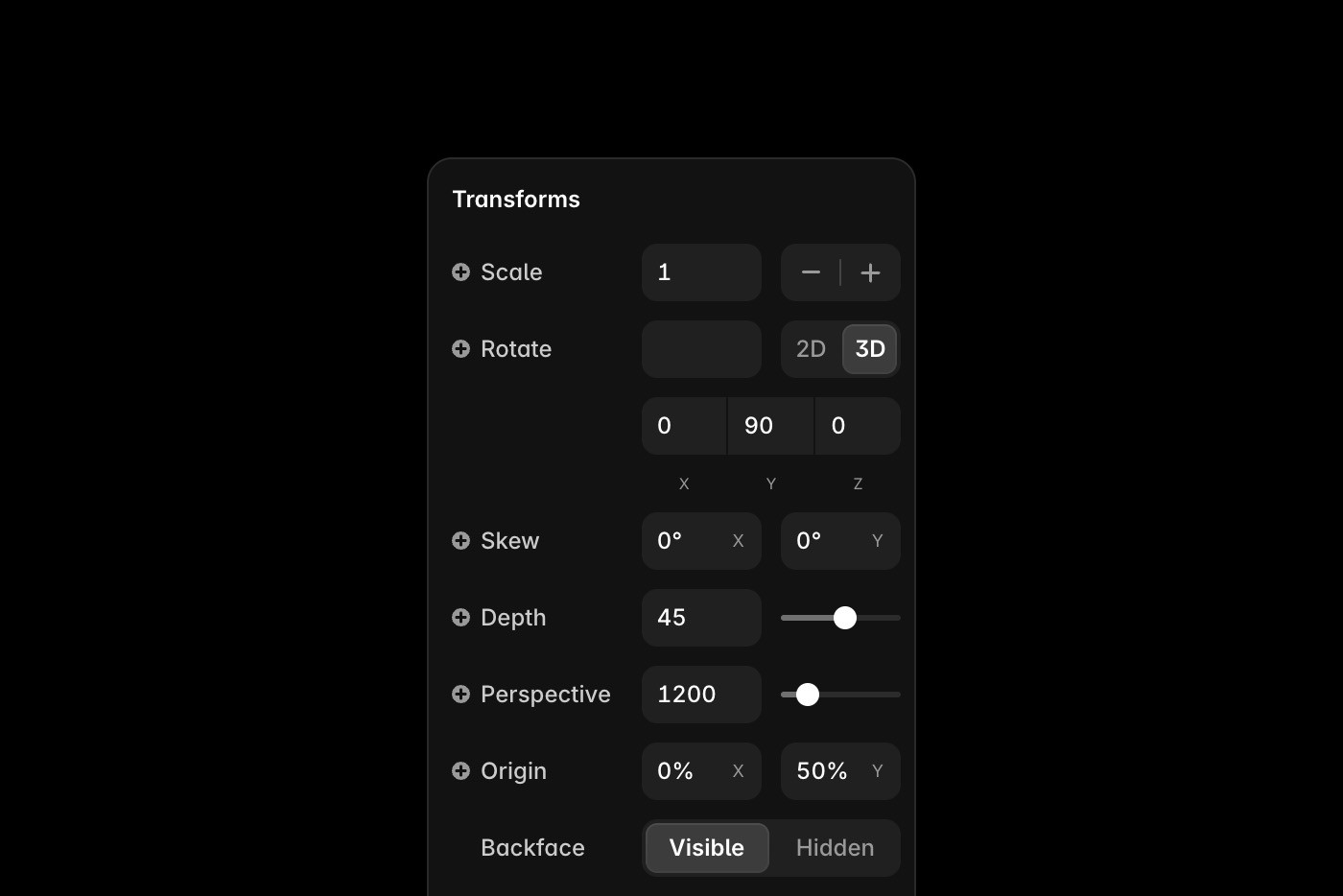
Perspective, depth, origin, and backface visibility introduce more relationships. A convincing result requires coordinated changes across related layers, followed by an inspection of what rendered.
The Agent stores the result as editable Frames and Effects. You can adjust a mask, move the composition, change an angle, or continue prompting from the current state.
Use the Agent for scale and the canvas for judgment
Building this animation by hand would mean editing a large set of connected frames. The Agent can establish that structure and coordinate changes across the composition.
Use the prompt when a change spans many layers. Switch to the canvas when you want to tune a spring, adjust a mask, move an origin, or refine the optical weight of the logo.
Both methods edit the same underlying design.
That loop extends across Framer. The Agent already works across the canvas and CMS, with code and publishing attached to the same project. Each new capability has the same bar: it must produce useful work and leave every change visible and editable.
