How to build a website from scratch with Framer Agents
Learn how to go from an idea to an editable, publishable Framer site.
Framer Agents let you describe the site you want in plain language and build directly inside the Framer editor. The agent can create and revise pages on the canvas, and everything it makes stays editable like the rest of your project. You can start from a prompt, refine the result in chat, make your own edits on the canvas, and use branching when you want a safe place to explore before publishing.
Open the agent in a new project
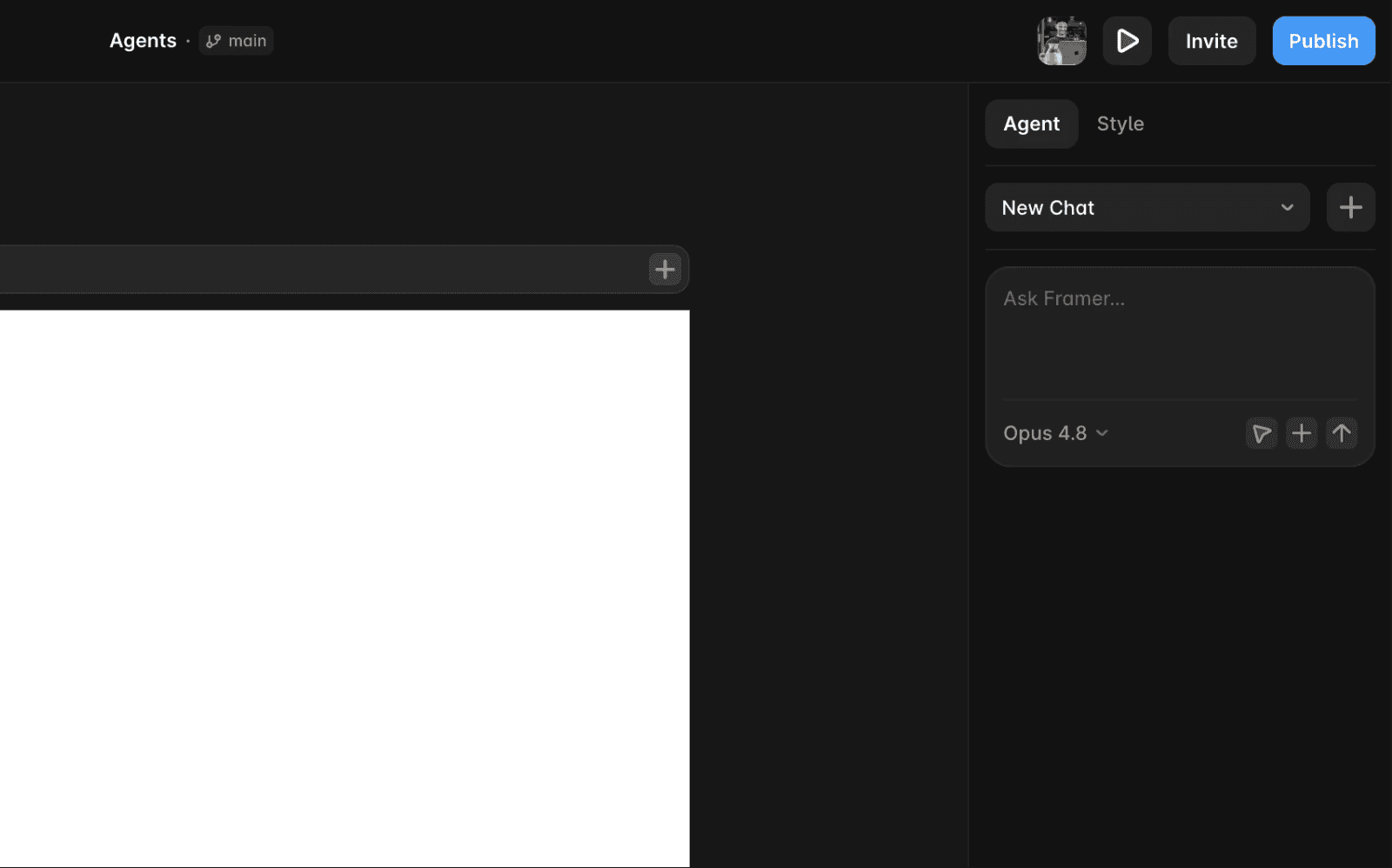
Create a new project, then open the Agent tab in the right sidebar. The chat starts in New Chat, with an Ask Framer… field where you can describe what you want to build.
Write your first prompt
The more specific your prompt, the closer the first result lands to what you have in mind. Instead of a broad request like "build me a landing page," describe the subject, the sections you want, and the style.
For example:
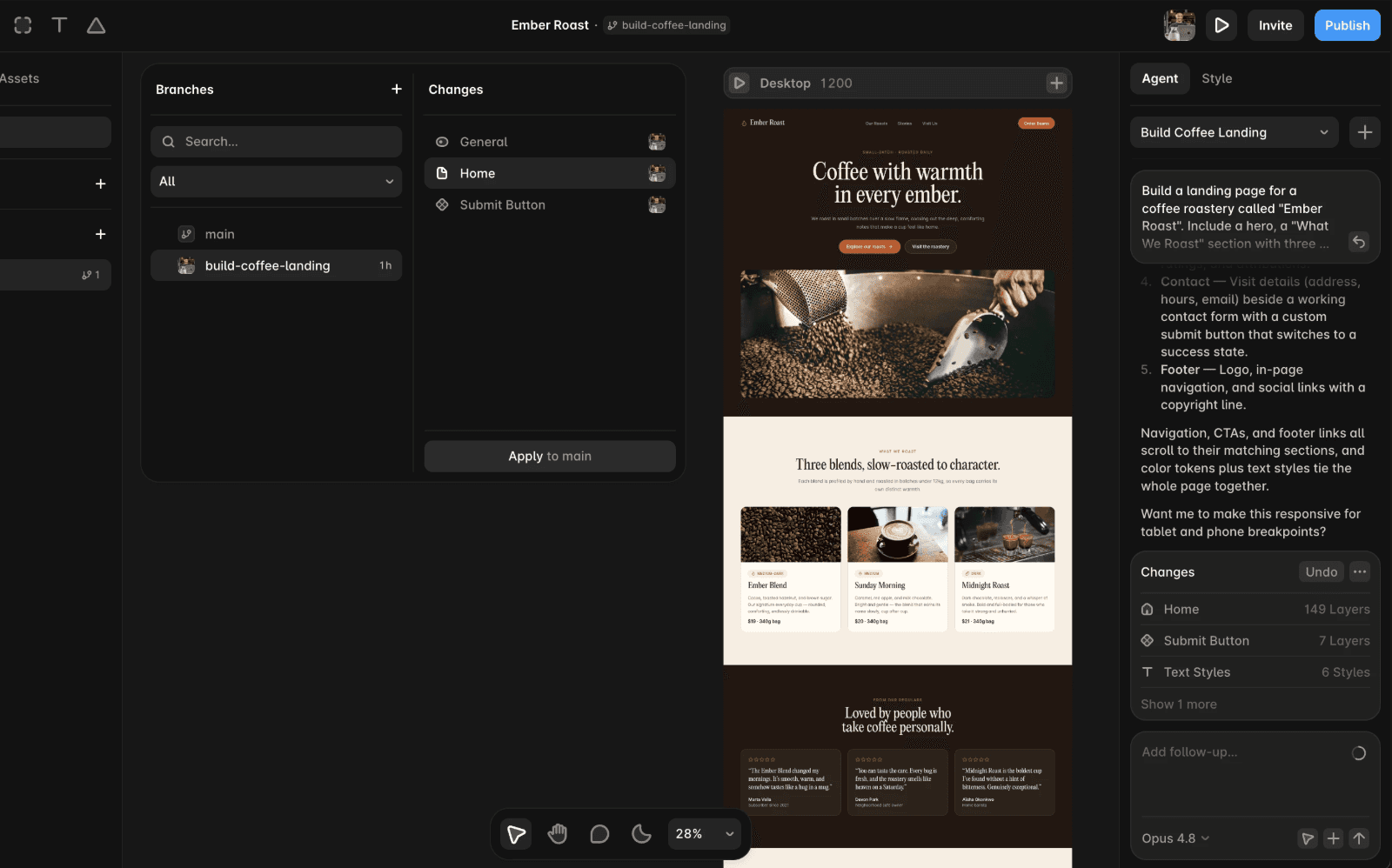
Build a landing page for a coffee roastery called "Ember Roast". Include a hero, a "What We Roast" section with three coffee blends, testimonials, and a contact section. Use a warm, earthy style.
A good prompt usually covers what the site is for, the specific sections you want, and any direction on tone, colors, or typography. You can always add detail later, so start with the structure and refine from there.
Refine the result, your way
Once the agent creates a first draft, you can keep prompting in the chat to make changes, such as "make the hero full-screen" or "add a pricing section with three tiers." You can also select a layer or section on the canvas and ask the agent to update that part of the design.
Everything the agent creates is part of your Framer project, so you can edit text, layout, colors, images, and spacing directly on the canvas at any time. You can move between manual edits and agent-assisted changes as you shape the site.
Publish safely with branching
When you're happy with the direction of your site, you can publish it from Framer. If you want a safe space to explore bigger changes first, use branching.
Open the branch menu next to the project title, then click Create branch. Framer creates a new branch where you can keep working without changing main. The branch panel shows your branches and a Changes area, so you can review what changed before applying the work back to main.
When the branch is ready, open the branch panel, review the changes, click Apply to main, then publish.
FAQ
Do I need to know how to design or code to use Framer Agents?
No. You describe what you want in plain language, and the agent helps create and refine the page on the canvas. Everything it creates stays editable, so you can keep working by chatting with the agent or by making changes yourself.
Can I edit what the agent builds?
Yes. Anything the agent creates behaves like the rest of your Framer project. You can change text, layout, colors, and images directly on the canvas at any time, then ask the agent to keep helping from there.
Is the site ready to publish?
The agent creates normal Framer pages that can be published from your project. Before going live, review the content, images, layout, links, and responsive behavior, just as you would with any site you build in Framer.
Updated
