How to publish a vector set
Learn how to publish a vector set in the Framer Community and start earning from your work.
Share your vector set with the Framer Community to reach a global audience. You keep 100% of your vector set revenue and gain visibility through the Community.
Before you publish
Make sure your vector set is ready before publishing. Vector sets are published immediately, so it’s important to review everything carefully.
Check that all vectors render correctly and scale as expected.
Ensure the set has a consistent visual style.
Prepare high-quality preview images that showcase the collection.
Review the name, byline, description, categories, and pricing information.
If you’d like, you can also review our vector set best practices to make sure your vector set is polished and ready for publication.
Publish your vector set
Once your vector set is ready, you can publish it in the Framer Community.
In Framer, open the Assets panel, right-click your vector set, and select Copy URL.
Open the Marketplace section in the Framer Community.
Click Post in the top toolbar, then select Vectors.
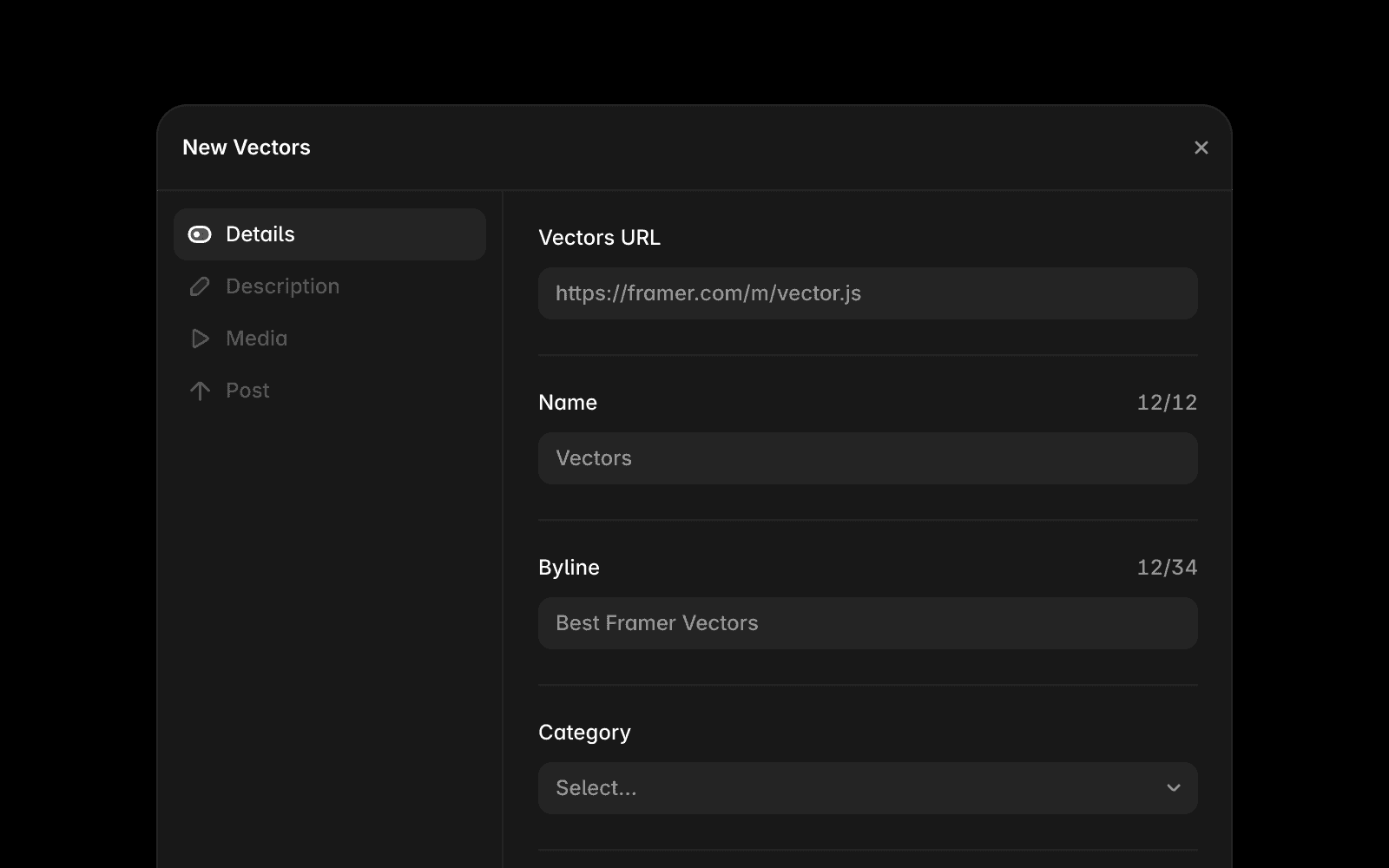
Fill in the required fields:
Vector set URL
Name, byline, and description
Images and categories
Pricing information, if the vector set is paid
Optionally create a post for the Community feed.
Click Submit.
Your vector set is published immediately and becomes available in the Community.
After you publish
After publishing, you can:
Edit the name, description, images, pricing, and other details.
Update your vector set at any time.
Reach new users through the Marketplace and the Community feed.
You keep 100% of any revenue generated by your vector set.
Make your vector set stand out
A few simple improvements can help more people discover your vector set:
Showcase a variety of vectors in your preview images.
Write a clear and descriptive byline.
Maintain a consistent visual style across the collection.
Choose categories that accurately match your vector set.
Share a post in the Community feed to increase visibility.
If you have questions about publishing vectors, contact the Framer team at creators@framer.com.
FAQ
Do I need approval before my vector set is published?
No. Vector sets are published immediately after you submit them. There is no review process or waiting period.
Where can I find my vector set URL?
Open the Assets panel in Framer, right-click the vector set, and select Copy URL.
Can I edit my vector set after publishing?
Yes. You can update your vector set details, images, pricing, and description at any time.
Updated
