What you can do with Claude Code, Codex in ChatGPT, and other External Agents
Learn when Claude Code, Codex in ChatGPT, Cursor, and other External Agents are the best fit for technical Framer workflows.
External Agents let you connect an AI coding assistant running on your computer to a Framer project. They are designed for people who want to use tools like Claude Code, Codex in ChatGPT, Cursor, or another terminal-based agent to inspect and make changes to a real Framer site.
The main value is that Claude Code, Codex in ChatGPT, or your preferred external agent can work with Framer while also using your local environment: files, scripts, APIs, code, command-line tools, and structured data.
Use External Agents when the work is technical, structured, repeatable, connected to external data, or easier to describe as a workflow than as a one-off manual edit. For setup, see the companion article about connecting Framer to Claude Code, Codex in ChatGPT, and Cursor.
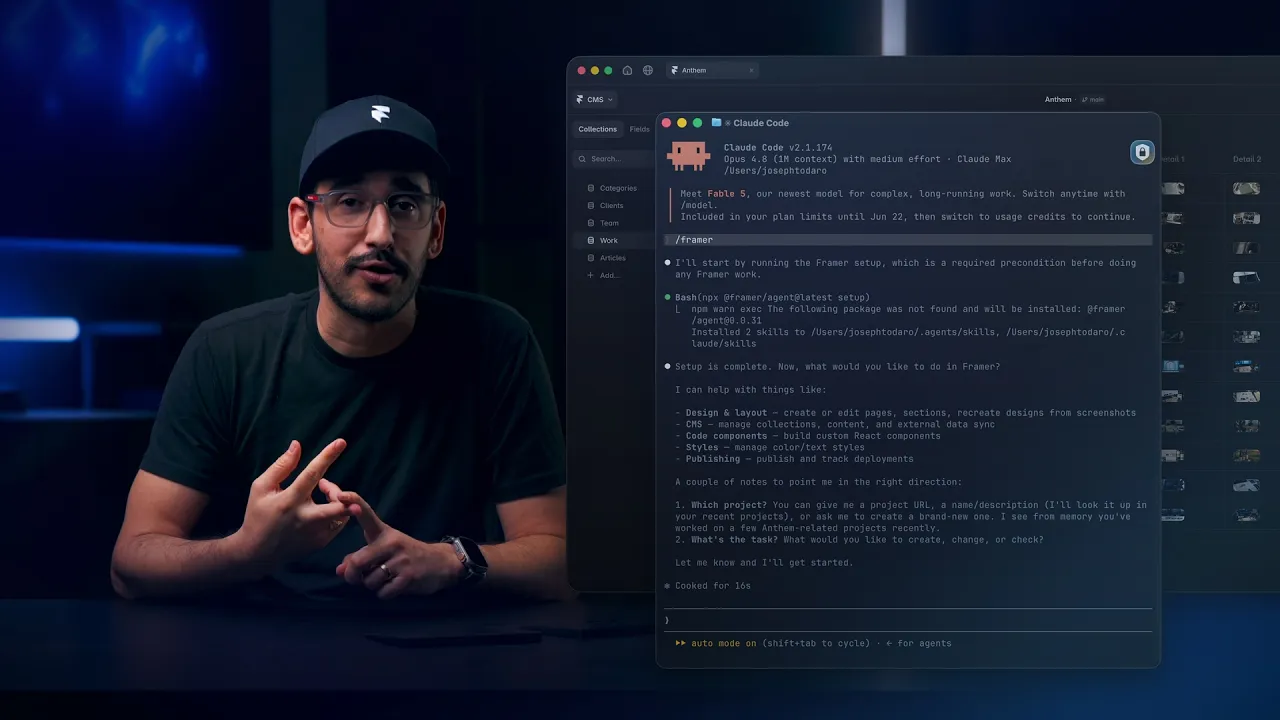
Connect Framer to Claude Code, ChatGPT Codex, Cursor, and more
7:13
Where External Agents are the best fit
1. Work that starts from local files
External Agents are a strong fit when the source material already lives outside Framer.
Examples:
Import CMS content from a CSV or JSON file.
Compare a local content folder with Framer CMS items.
Use a design token file to update color or text styles.
Read translation files and update localized content.
Convert a local content export into Framer pages or CMS entries.
Use a local script to clean, map, or transform data before applying it to Framer.
This is one of the clearest uses for External Agents: they can bridge your local workspace and your Framer project.
Example prompt:
Read
blog-posts.csv, compare it with the Blog CMS collection, create missing items, update changed fields, and summarize what changed.
2. Bulk CMS work
External Agents are well-suited to CMS tasks because CMS data is structured and often needs repeatable operations.
You can use them to:
Create collections.
Inspect collection fields.
Create, update, or delete CMS items.
Import items from files or APIs.
Match items by slug, ID, or another field.
Fill missing SEO titles, descriptions, or image fields.
Normalize slugs, dates, categories, tags, or references.
Mark items as drafts.
Compare Framer CMS data with an external source of truth.
Best-fit CMS tasks:
Content migrations.
Bulk updates.
CMS cleanup.
External content syncs.
Large-scale SEO field updates.
QA reports for missing or inconsistent CMS data.
Example prompt:
Find every CMS item missing an SEO description. Draft a description from the item title and summary, update the field, and give me a list of edited items.
3. Code components
External Agents are a very good fit for creating and maintaining Framer code components.
Because the agent is running in a coding environment, it can help with tasks that are closer to software development than visual editing:
Create a React code component.
Add Framer property controls.
Edit existing code files.
Type-check code.
Debug TypeScript issues.
Adapt a component from an existing codebase.
Explain how the component should be configured in Framer.
Good use cases:
Pricing calculators.
Interactive forms.
Charts and dashboards.
Maps.
Video players.
API-driven components.
Custom animation or gesture behavior.
Components that need business logic or third-party libraries.
Example prompt:
Create a code component for an ROI calculator. Add property controls for currency, labels, default values, and CTA text. Type-check it and tell me how to use it in Framer.
4. Syncing Framer with external systems
External Agents are useful when Framer needs to reflect data from somewhere else.
Examples:
Sync a CMS collection with Airtable, Notion, Sanity, Contentful, or an internal API.
Import customer stories from a spreadsheet or database export.
Update documentation pages from a docs source.
Pull product data from an API and write it into Framer CMS.
Keep localized content aligned with translation files.
Generate a repeatable workflow that could later become a scheduled job or webhook.
This is especially useful for teams where Framer is the site layer, but content or product data is maintained elsewhere.
Example prompt:
Fetch the latest case studies from this API, match them to the Case Studies collection by slug, update changed fields, upload referenced images, and leave new items as drafts.
5. Structured page and canvas changes
External Agents can inspect project context and apply structured changes to pages and canvas nodes.
Good fits:
Add a known section pattern to a page.
Update repeated copy across multiple pages.
Replace images based on a mapping file.
Add a first-pass layout from a precise brief.
Update node attributes in a consistent way.
Apply repeated spacing, naming, or styling changes.
Inspect a page structure and produce a plan before editing.
External Agents are strongest here when the change is specific, repeatable, or data-driven.
Example prompt:
Inspect the Pricing page, find all plan cards, update the monthly and yearly prices from
pricing.json, and summarize every changed text node.
6. Localization
Localization is a strong External Agents use case because it usually involves structured data, repeated fields, and external translation sources.
You can use External Agents to:
Read available locales.
Find missing localized values.
Apply translations from JSON, CSV, or another source.
Update localized CMS fields.
Report untranslated or stale content.
Compare Framer localization data with translation files.
Example prompt:
Read
de.jsonandfr.json, compare them with the project locales, update missing translations, and report keys that do not map cleanly.
7. Style and design-system maintenance
External Agents can help keep a Framer project consistent with a design system.
You can use them to:
Inspect color styles.
Inspect text styles.
Compare project styles with a token file.
Create missing styles.
Update outdated style values.
Find inconsistent usage.
Produce a cleanup report before applying changes.
Best-fit tasks:
Rebrands.
Token syncs.
Large-site style cleanup.
Accessibility or contrast audits.
Finding styles that no longer match the system.
Example prompt:
Compare Framer color styles with
tokens/colors.json. Show mismatches first, then update approved styles.
8. Asset and media workflows
External Agents are useful when asset work follows a structured mapping or import process.
Examples:
Upload images or files.
Attach images to CMS items.
Replace images from a CSV mapping.
Update file fields.
Search for candidate stock images where supported.
Export screenshots or SVGs for review.
Example prompt:
Use
image-map.csvto replace each CMS item’s hero image, matching rows by slug. Report any missing local files or unmatched CMS items.
9. Publishing preparation
External Agents can help with the mechanical parts of preparing a Framer project for publishing.
You can use them to:
Check publish state.
Summarize pending changes.
Run a CMS or localization audit before publishing.
Prepare a release checklist.
Publish after explicit approval.
Best-fit publishing workflows:
Content sync followed by review.
Bulk CMS migration followed by staging/publishing.
A final pre-publish audit of missing fields, drafts, or localization gaps.
Example prompt:
After the CMS sync, summarize new, updated, and draft items. Check for missing SEO fields before publishing.
10. Project audits and reports
External Agents are useful when you want to understand the state of a project before deciding what to change.
You can ask them to:
Inspect pages.
List CMS collections and fields.
Find missing content.
Find inconsistent naming.
Identify outdated styles.
Check localization coverage.
Review code components.
Export a report of findings.
Example prompt:
Audit the site for missing SEO titles, missing CMS images, unpublished drafts, and untranslated localized fields. Do not make changes; give me a report.
What External Agents can access
Through the Framer Agent CLI and Server API, External Agents can work with:
Project sessions and project context.
Page and canvas structure.
CMS collections and CMS items.
Code files and code components.
Color and text styles.
Assets and files.
Localization data.
Project metadata.
Screenshots and SVG exports.
Publishing information and publishing actions.
The exact available operations depend on the project, permissions, and the current External Agents / Server API beta surface.
Good prompts for External Agents
Good External Agent prompts are specific about the source, target, and expected output.
Strong examples:
“Import
posts.csvinto the Blog CMS collection. Match by slug. Leave new items as drafts.”“Create a code component for a pricing calculator with property controls and type-check it.”
“Compare
tokens/colors.jsonwith Framer color styles and propose changes before applying them.”“Find all CMS items missing hero images and produce a report.”
“Use
translations/fr.jsonto update French localized strings.”“Read the Pricing page structure and tell me what would need to change to add an Enterprise plan.”
“Sync the Case Studies collection from this API and summarize created, updated, and skipped items.”
Less useful prompts are vague or purely subjective:
“Make the site better.”
“Improve the design.”
“Do a quick polish pass.”
“Make it feel premium.”
Those can still be valid creative requests, but External Agents are most effective when the task has clear inputs, clear targets, and a reviewable output.
Recommended workflow
For most External Agent work:
Connect the External Agent to the Framer project.
Ask it to inspect the relevant project area.
Provide local files, APIs, or code context.
Ask for a proposed plan or mapping.
Review the plan.
Let the agent apply the changes.
Ask for a summary of what changed.
Review the result in Framer before publishing.
For high-impact operations like bulk CMS updates, localization changes, code component edits, or publishing, ask the External Agent to report what it plans to change before it changes anything.
Summary
External Agents are best for bringing AI-assisted automation into Framer from a local development workflow.
They are especially useful for:
CMS imports, syncs, and cleanup.
Code components.
External data workflows.
Bulk edits.
Localization.
Style and design-system maintenance.
Asset mapping.
Project audits.
Publishing preparation.
The clearest way to think about them:
Use External Agents when you want your own AI coding assistant to work with a Framer project using local files, code, APIs, and repeatable workflows.
FAQ
Which external agents work well with Framer?
Claude Code, Codex in ChatGPT, Cursor, and similar terminal-based agents are good fits for External Agent workflows, especially when they can use Framer’s API alongside your local files and tools.
Can Claude Code or Codex in ChatGPT change my project?
Yes. After authorization, Claude Code, Codex in ChatGPT, or another supported external agent can help create and update supported Framer content and project resources. Review changes before publishing.
When should I use an External Agent instead of Framer’s canvas?
Use an External Agent when the task is technical, repeatable, or connected to outside data. Use the canvas when you want direct visual control over a one-off design edit.
Updated
